7 Best Chore Apps for Families in 2026

The best chore apps for families do more than move a paper chart onto a phone. They make responsibilities visible, reduce repeated reminders, and give everyone a clear way to see what is due, what is finished, and what happens next.
But families do not all need the same system. Some want stars and custom rewards. Others need real allowance payments and debit cards. Some want a full family calendar, while others simply need a fair way to divide cleaning. We compared seven leading options to help you choose the right fit.
Product features and pricing can change. This comparison was researched in September 2026 using official product and support pages.
Quick answer
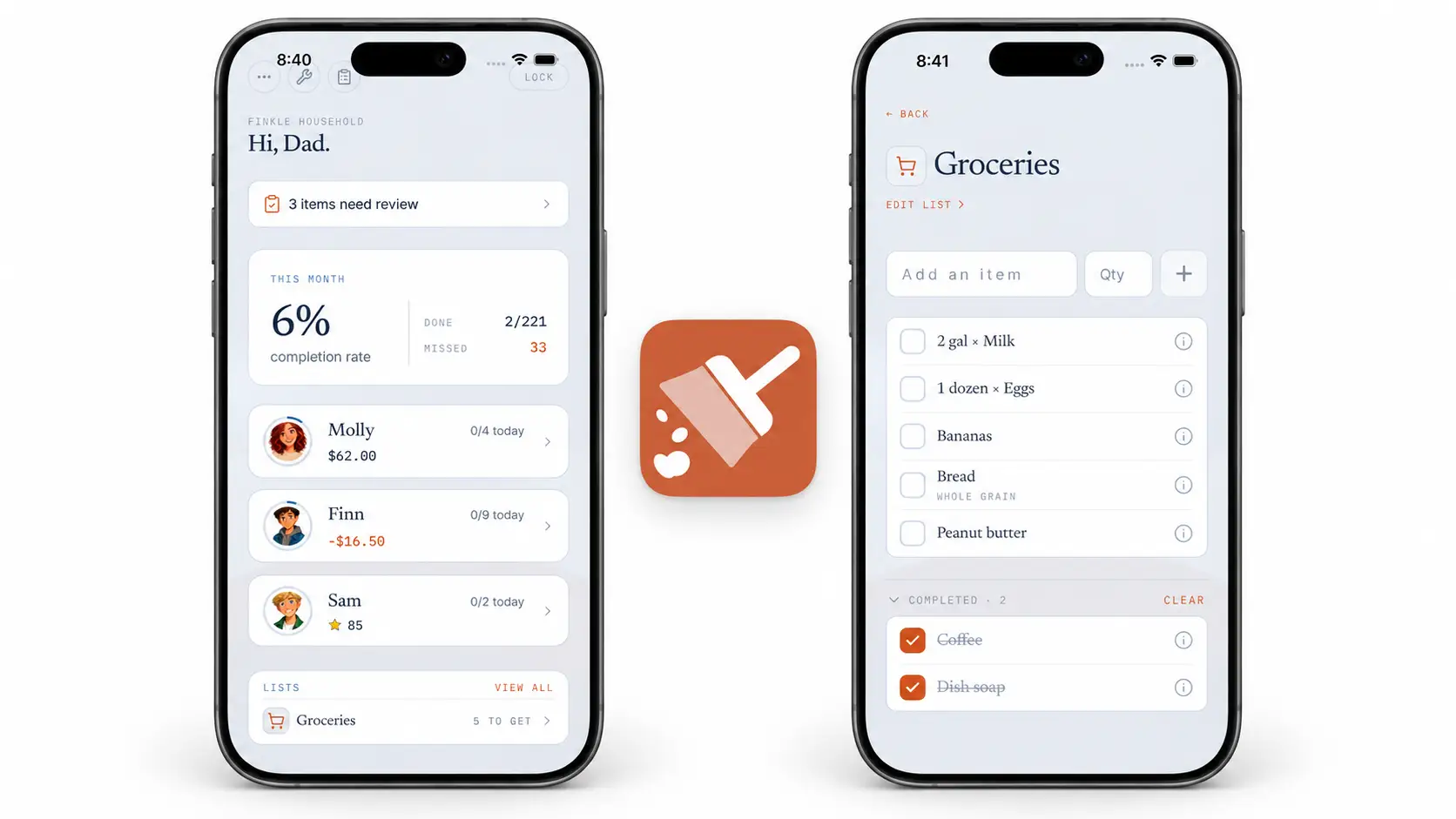
Xtra Hands is the best all-around chore app for families that want recurring and rotating chores, parent approval, optional photo proof, and a choice of stars, money, or custom rewards. Greenlight and BusyKid are stronger fits when a children's debit card and real-money tools are the main goal. Cozi works well for families that prioritize a shared calendar, while Sweepy is built more specifically around cleaning schedules.
Best family chore apps at a glance
App | Best for | Rewards | Parent approval | Broader focus |
|---|---|---|---|---|
Xtra Hands | Flexible chores, rotations, and family rewards | Stars, money, and custom rewards | Yes, with optional photo proof | Household responsibility |
Greenlight | Chores tied to a kids' debit card | Money, allowance, and plan-dependent stars | Available | Family finance |
BusyKid | Learning to earn, save, share, spend, and invest | Real allowance and bonuses | Yes | Financial education |
Homey | Allowance, responsibilities, and savings goals | Money and rewards | Available | Chores and financial goals |
It's a Family Thing | Chores, routines, schedules, and family organization | Points and family rewards | Yes | Whole-family routines |
Cozi | Calendar-first family organization | No dedicated reward economy | No dedicated approval workflow | Calendars, lists, meals, and chores |
Sweepy | Cleaning schedules for families or roommates | Gamified effort and progress | Not its main focus | Home cleaning |
How we evaluated the best chore apps for families
A long feature list does not automatically make a chore app useful. We looked at the parts that determine whether a family will still use it after the first week:
Setup: Can a parent create a workable routine without spending an evening configuring it?
Child experience: Can children tell what they need to do and mark work complete?
Recurring work: Can daily and weekly responsibilities return automatically?
Fair assignment: Can a household distribute or rotate shared chores?
Review: Can parents approve work or request proof when needed?
Motivation: Does the app support the rewards a family actually wants to use?
Household fit: Is it focused on chores, money, cleaning, or wider family organization?
The right app is the one that matches your household's main problem. A family trying to teach investing needs a different tool from one trying to stop arguments over whose turn it is to unload the dishwasher.
1. Xtra Hands: best overall family chore app
Xtra Hands is designed for households that want chores and rewards to work as one clear loop. Parents can create recurring responsibilities, assign work to household members, rotate shared chores, review completion, and connect effort to stars, money, or custom rewards.
Its biggest advantage is flexibility without forcing the household into a banking product or a full family calendar. A parent can use money for one child, stars for another, and unpaid responsibilities where a reward is not appropriate.
Standout features
Recurring and one-time chores.
Rotating assignments for shared household work.
Parent review and approval.
Optional photo proof for chores that need verification.
Stars, money, balances, and custom rewards.
Household visibility without requiring a children's debit card.
Best for: Families that want a dedicated chore-and-reward system with strong parent controls and flexible motivation.
2. Greenlight: best for chores plus a kids' debit card
Greenlight approaches chores through family finance. Parents can create recurring chores and one-time jobs, connect allowance to completion, and give children a debit card with spending and savings controls.
According to Greenlight's official chores page, families can assign recurring chores to as many as five children, schedule payouts, and choose how tightly allowance depends on completed work. Greenlight also supports parent review, and its support documentation describes photo proof for chores when enabled.
The tradeoff is focus. Greenlight makes the most sense when financial education and a card are already part of the plan. Families that only need chores and household rewards may be buying into a broader financial product than they need.
Best for: Families that want chore completion connected directly to allowance, saving, spending controls, and a children's debit card.
3. BusyKid: best for hands-on money lessons
BusyKid puts the earn-save-share-spend cycle at the center. It includes age-based chore suggestions, allowance, prepaid cards, savings matching, charitable giving, and investing access.
The official BusyKid feature list says subscriptions include as many as five prepaid cards, preset chores based on age, automatic allowance allocations, parent approvals, savings matching, and investing tools. Parents can also change chores and allowance values to fit the household.
BusyKid is compelling when chores are the practical engine for teaching money management. It is less focused on nonfinancial custom rewards, household rotations, or a lightweight chores-only experience.
Best for: Parents who want children to practice earning, saving, donating, spending, and investing real money.
4. Homey: best for allowance and savings goals
Homey combines household responsibilities, paid jobs, allowance, savings goals, and family communication. It allows families to distinguish between work children are expected to do and jobs that earn money.
Homey's product site emphasizes connecting chores with allowance, saving toward long-term goals, bank transfers, due and completion notifications, and a family chat. Its structure can fit families that want more customization than a simple weekly allowance.
Homey is a good middle ground between a chore tracker and a financial learning app. Families should review its current plan details and supported banking features in their region before committing.
Best for: Families that want chores, allowance, and goal-based saving in the same system.
5. It's a Family Thing: best for routines and family organization
It's a Family Thing is the newer family-management experience built on the foundation of S'moresUp. It expands beyond chores into routines, schedules, reminders, rewards, family check-ins, and guidance.
Its official feature overview describes shared tasks, repeatable routines, reward systems, approvals, reminders, a family view, and an in-app support layer. That wider scope is helpful when chores are only one part of a family's coordination problem.
The same breadth can feel like more system than a household wants. Families looking for a focused chore list may prefer a narrower product, while those replacing several tools may appreciate the broader approach.
Best for: Families that want chores, routines, schedules, rewards, and general household coordination together.
6. Cozi: best calendar-first option
Cozi is primarily a family organizer, not a purpose-built reward app. Its shared calendar, shopping lists, meal planning, and to-do lists can keep household logistics in one familiar place.
Cozi's official list documentation says families can assign shared chores, create recurring daily or weekly tasks, and maintain individual chore lists. The free version also includes the shared calendar and core lists.
Cozi is less suitable if stars, allowance, proof, or parent approval are essential. Its strength is reducing the number of family planning tools, not building a detailed chore economy.
Best for: Families already centered on a shared calendar that only need straightforward chore lists.
7. Sweepy: best for household cleaning schedules
Sweepy starts with rooms and cleaning needs rather than child allowance. It helps users organize recurring cleaning, divide work among family members or roommates, and generate a schedule based on availability.
The official Sweepy site highlights its smart schedule, gamified cleaning progress, and support for inviting other household members. It can be especially useful when the problem is deciding what needs cleaning next.
Because Sweepy focuses on cleaning, it is not the strongest choice for homework routines, custom child rewards, allowance, or detailed parent approval. It solves a narrower problem well.
Best for: Families, couples, or roommates that want an organized and gamified home-cleaning schedule.
Which family chore app should you choose?
If your priority is... | Start with... |
|---|---|
Flexible chores, rotations, approvals, and rewards | Xtra Hands |
A debit card and financial controls | Greenlight |
Saving, sharing, spending, and investing | BusyKid |
Allowance connected to savings goals | Homey |
Routines and whole-family organization | It's a Family Thing |
A shared calendar with basic chores | Cozi |
A smarter cleaning schedule | Sweepy |
Features worth looking for in a family chore app
Recurring chores
Daily and weekly chores should return automatically. If a parent has to recreate the same list every morning, the app has only moved the mental load to a different screen.
Rotation and fair assignment
Shared jobs such as dishes, trash, bathrooms, and pet care often need to move between people. Rotation reduces arguments and helps children learn more than one household skill.
Before setting up an app, our chore rotation schedule guide shows how to build a fair cycle for two, three, or four people and handle swaps or absences.
Clear completion and approval
Some families trust a checked box. Others need a parent review or photo proof for particular jobs. The app should support your standard without making every tiny responsibility bureaucratic.
Rewards that fit your values
Money is useful for teaching financial skills, but it is not the only motivator. Stars, privileges, custom rewards, praise, and ordinary unpaid family responsibilities can all belong in a healthy system.
Our guide to building a chore reward system that works explains how to set values, choose rewards, and avoid common failure points.
A child experience that stays simple
Children should be able to open the app and understand the next action. Extra dashboards, games, and financial tools only help when they support the household's actual goal.
For children who need even less memory load and more immediate feedback, see our comparison of the best chore apps for kids with ADHD.
How to test a chore app with your family
Choose one daily chore and one weekly chore per child.
Define exactly what completion means.
Set up only the rewards you intend to use immediately.
Pick one consistent review time each day.
Use the system for two weeks before adding complexity.
Ask each family member what feels clear and what creates friction.
Do not import every possible chore on day one. A small system that becomes routine is more valuable than an impressive setup nobody wants to open.
Need ideas for older children? Our list of 30 age-appropriate chores for teenagers includes personal, kitchen, cleaning, outdoor, and family responsibilities.
Frequently asked questions
What is the best app for tracking family chores?
Xtra Hands is a strong all-around choice for tracking recurring and rotating chores, parent approvals, photo proof, and flexible rewards. The best choice still depends on whether your family mainly needs chores, financial tools, a calendar, or a cleaning schedule.
Is there a chore app for the whole family?
Yes. Xtra Hands, Homey, It's a Family Thing, Cozi, and Sweepy all support shared household use in different ways. Check whether each family member needs a personal device and whether the app supports the ages in your household.
What is the best free family chore app?
Free tiers and trials change frequently. Cozi offers core shared calendar and list features for free, while other products may limit family members, chores, rewards, or premium scheduling. Check the current plan page before choosing based on price.
Can a chore app pay allowance automatically?
Greenlight, BusyKid, and Homey offer real-money or allowance features, with different banking and approval rules. Xtra Hands can track monetary balances without requiring the household to adopt a children's debit card product.
Are chore apps better than paper charts?
An app is better when your family needs reminders, recurring tasks, remote access, rotations, approvals, or automatic balances. A paper chart may be enough for a small household with a simple routine and one shared location.
Final take
The best chore app for your family should remove work from the system, not add another tool to manage. Decide whether your real priority is household follow-through, money skills, family scheduling, or cleaning. Then test the smallest useful setup before building more.
Try Xtra Hands to organize recurring and rotating chores, review completed work, and use stars, money, or custom rewards in one family system.