Shared Chores: Make Room for the Bigger Jobs
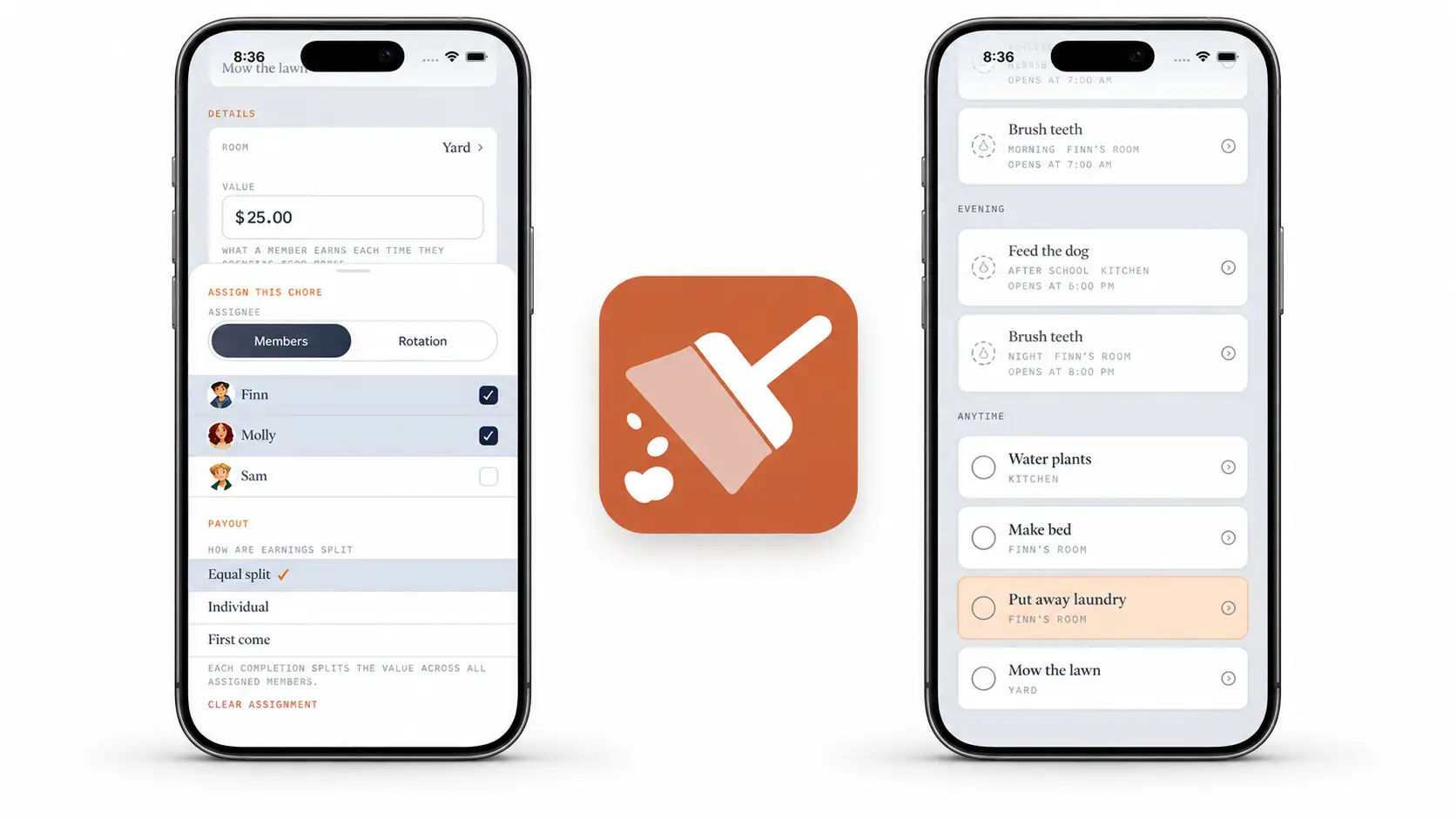
Some chores are bigger than one person's afternoon. Cleaning the garage, taking down Christmas decorations, or mowing a large yard can be easier when more than one household member takes part. In Xtra Hands, you can assign a chore to multiple members and decide how each person's effort earns money or stars.
Why we made chores shareable
A family job should not have to live on one person's list just because the app needs an assignee. When several people are helping, put the chore in front of all of them. Then choose a payout that matches what you are asking them to do.
For a garage cleanup, an Equal split might feel right: everyone has a part, and each person earns a share of the chore's value when they complete theirs. For a job anyone can pick up alone, a First come payout makes more sense. The choice is yours; the chore does not have to use the same approach every time.
Choose how the payout works
Equal split: The chore's money value and stars are divided among the assigned members. Each member earns their share when they complete their own chore. For example, a $12 chore assigned to two members pays $6 to each person who finishes.
Individual: Each assigned member earns the full value when they complete their own chore. This fits a task you want each person to do independently.
First come: The first assigned member to complete the chore claims the full value. This fits work that only needs to be done once, by whoever gets to it first, rather than a job where everyone needs credit for a part.
Set the chore's Value for money, Starsfor stars, or both. The payout choice applies to whichever amounts you set. With an equal split, choose amounts that divide cleanly if an exact share matters to you.
In the chore form, open Assignee to choose the members and the payout policy. This is where you can see the three options side by side:
How to set up a shared chore
On the parent side of Xtra Hands, create a chore or open one to edit.
Name the job, choose its room and schedule, and set its money value or stars.
Open Assignee and stay on the Members tab.
Select everyone who should see the chore.
Under Payout, choose Equal split, Individual, or First come.
Save the chore.
For a true group effort, start with Equal split. Each assigned member gets their own chance to mark the work complete and earn their share. First come is different: it is one chore that an eligible member can claim for the full payout. Picking the right policy makes the expectation clear before anyone starts.
Once assigned, the chore appears on a member's list alongside the rest of their work. They can see what needs doing without asking who was supposed to help.
The point is not to make a big job look small. It is to give everyone who is helping a clear place in the plan, and to make the reward match the work.